NetSuite Shipping & Logistics — Tools & Resources
Connect FedEx, UPS, DHL, and other carriers to NetSuite. Automate shipping labels, rate shopping, and tracking notifications.
Overview
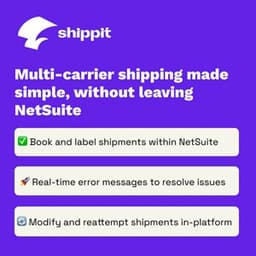
Carrier integration with NetSuite has two distinct components: rate shopping at order entry time (showing the customer or operations team the cost of different shipping options) and label generation at fulfillment time (printing carrier labels directly from the NetSuite fulfillment record without re-entering shipment data). Many shipping tools handle one well but not both — verify which workflows are supported before committing.
Rate shopping integrations pull live rates from multiple carriers at the time an order is being processed, allowing a warehouse manager or customer service rep to compare UPS Ground vs FedEx Home Delivery vs USPS Priority on a per-shipment basis. The best implementations do this in the background and auto-select the lowest-cost carrier that meets the delivery date requirement, only surfacing a decision when the rate difference is below a threshold or the delivery window is ambiguous.
For businesses shipping internationally, the compliance layer — commercial invoices, HS codes, customs declarations — is where most generic shipping integrations fall short. Verify that the tool you select can generate the required customs documentation for your destination countries and, if you are a DDP (Delivered Duty Paid) shipper, that it can calculate landed costs including duties and taxes at the time of shipment.